Share to Instagram and social media
After you tap Finish, PRUV offers to share your workout. You can also share any past session from Workout history: open it and tap Share.
Photo card:
- Take Photo or Choose from Gallery for your background.
- Choose Story (9:16) or Square (1:1) and which stats to show: duration, volume, records, sets, exercises.
- Save puts it in your photos. Share opens your phone's share sheet, so you can send it straight to Instagram, WhatsApp or anywhere else.
Stat stickers (see-through stickers for your own story):
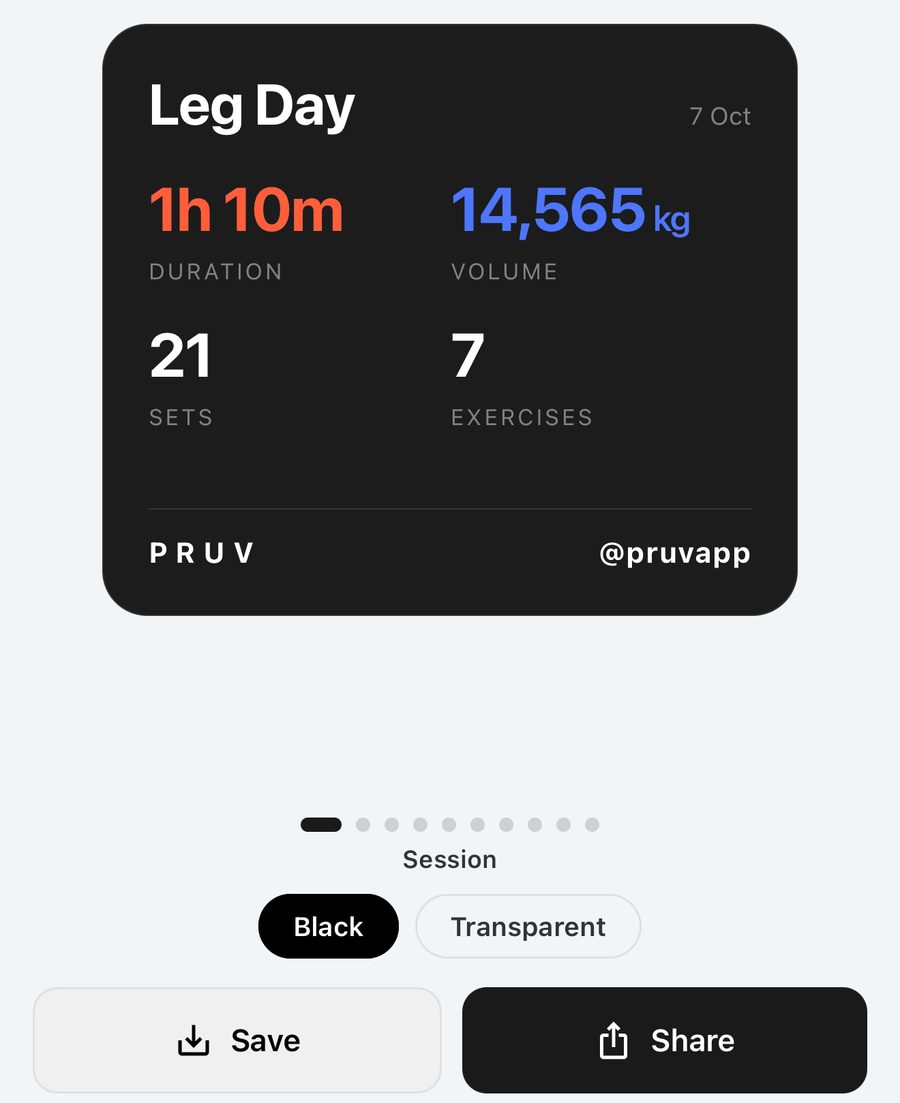
- On the share screen, tap Stat stickers.
- Swipe through the stickers your training has earned: this session, the plan, your month, volume, calendar, records, milestones, streaks, plus the poster cards.
- Pick Transparent (no background) or Black.
- Tap Save to keep it in your photos, or Share to send it straight to an app.
- In Instagram, start a story with your own photo or video. Tap the sticker icon, choose the photo sticker, and pick the PRUV sticker you saved. Drag and pinch to place it.
Bloodline: hit a working set of 100 kg or more on the barbell squat, bench press or deadlift and PRUV gives you the Bloodline poster: FIRST IN MY BLOODLINE TO SQUAT 100 KG. Brag to your mates.
Every card is signed with your username. Founding Members sign PRUV FOUNDER, Pro members PRUV PRO.