Your charts explained
PRUV shows what you did. It never grades a session or tells you what to change.
On the Progress tab:
- Total volume and Workouts: your year so far. Volume is weight × reps added up over every completed set.
- Activity: a square for each day of the last year, darker on bigger days compared with your own training. Switch between Time and Volume, and tap a square to see that day.
- Muscle balance: how many sessions hit each muscle group this week (or this month, with Pro), and how long since each was last trained. The body map colours each group: red just trained, then orange, yellow, and green after a week or more. Grey means never trained. A group not trained for over 14 days shows in bold.
- Strength progress: your estimated one-rep max for a lift over time, or Reps at weight: how many more reps you now manage at each weight.
- Personal records: your best on every lift, newest first.
- Body weight: your weigh-ins, with your goal if you set one.
On an exercise (tap any exercise, then Progress):
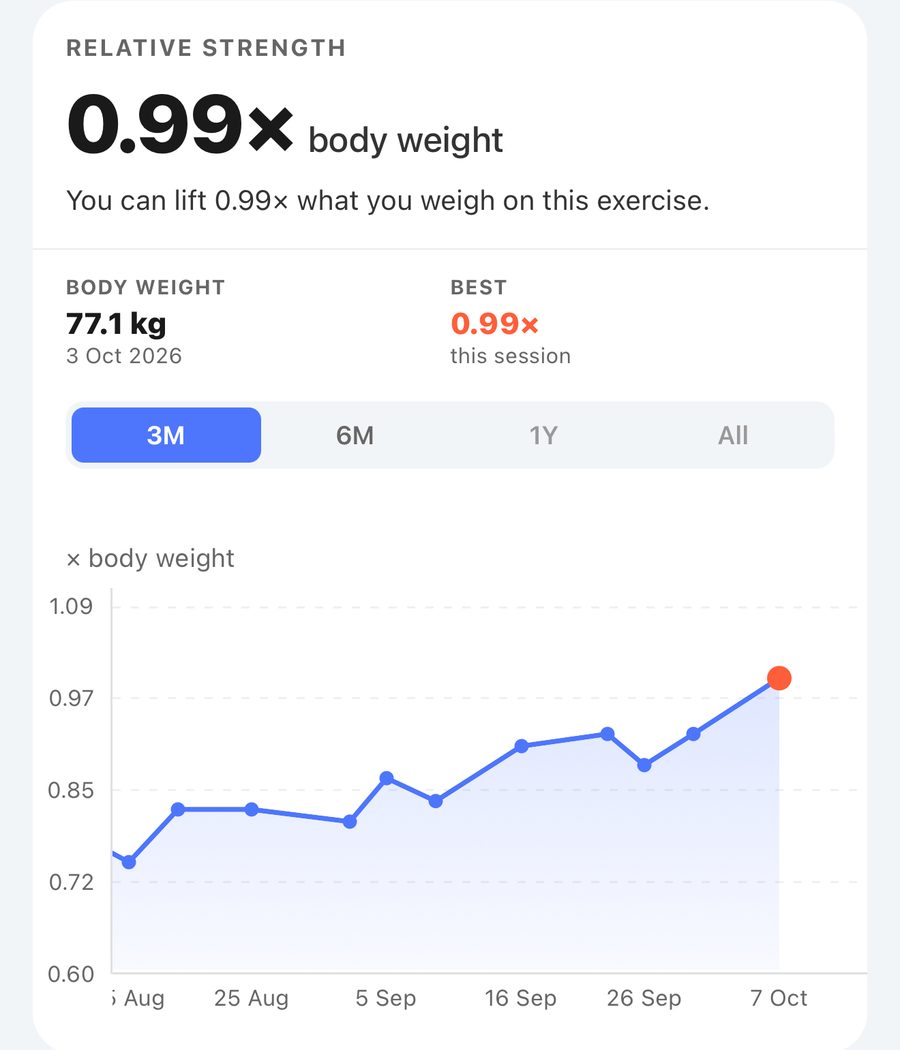
- Relative strength: your estimated one-rep max divided by your body weight. "1.5× body weight" means you could lift one and a half times what you weigh. Needs a weigh-in.
- Estimated 1 rep max: the most your best set suggests you could lift once, using the Brzycki formula. Sets over 10 reps are left out because the formula is not accurate that high. A single rep you really lifted shows as Tested.
- Volume: how much you moved on this lift in each session.
- Left & right: for single-arm and single-leg lifts (see Left and right).
Each exercise chart has its own 3M / 6M / 1Y / All. Tap or drag along a chart to read any session.
Free and Pro: on the free plan these charts are locked. PRUV Pro shows the figures and the full history on every chart.
Still stuck? Email info@pruvapp.com