
Plate calculator
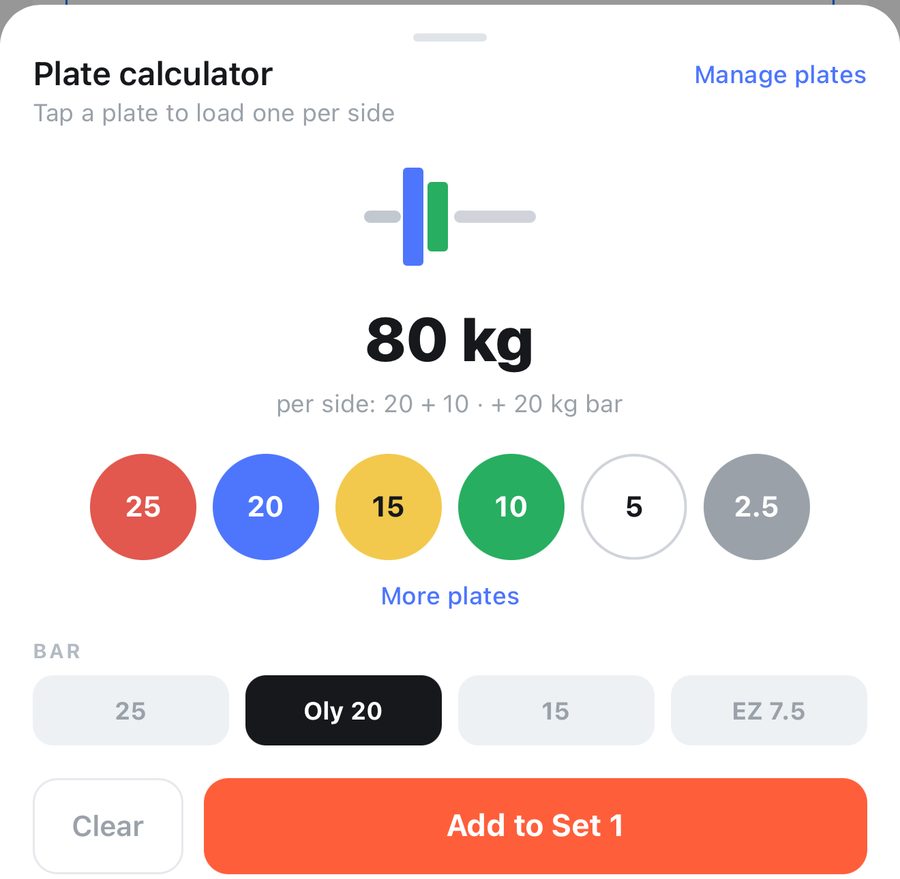
On any barbell exercise, tap the calculator icon beside the exercise name.
- Choose your bar: 20 kg Olympic, 25, 15, or a 7.5 kg EZ bar.
- Tap a plate to load one on each side. The total updates as you go.
- More plates shows 50, 1.25, 0.5 and 0.25. Clear empties the bar.
- Add to Set 1 (or whichever set is next without a weight) puts the total into that set. When more than one set is empty, Add to All fills them all.
Still stuck? Email info@pruvapp.com