
Supersets
A superset is two exercises done back to back: a set of one, then a set of the other, then rest.
Make one:
- In a saved workout, tap ••• on an exercise and choose Superset with….
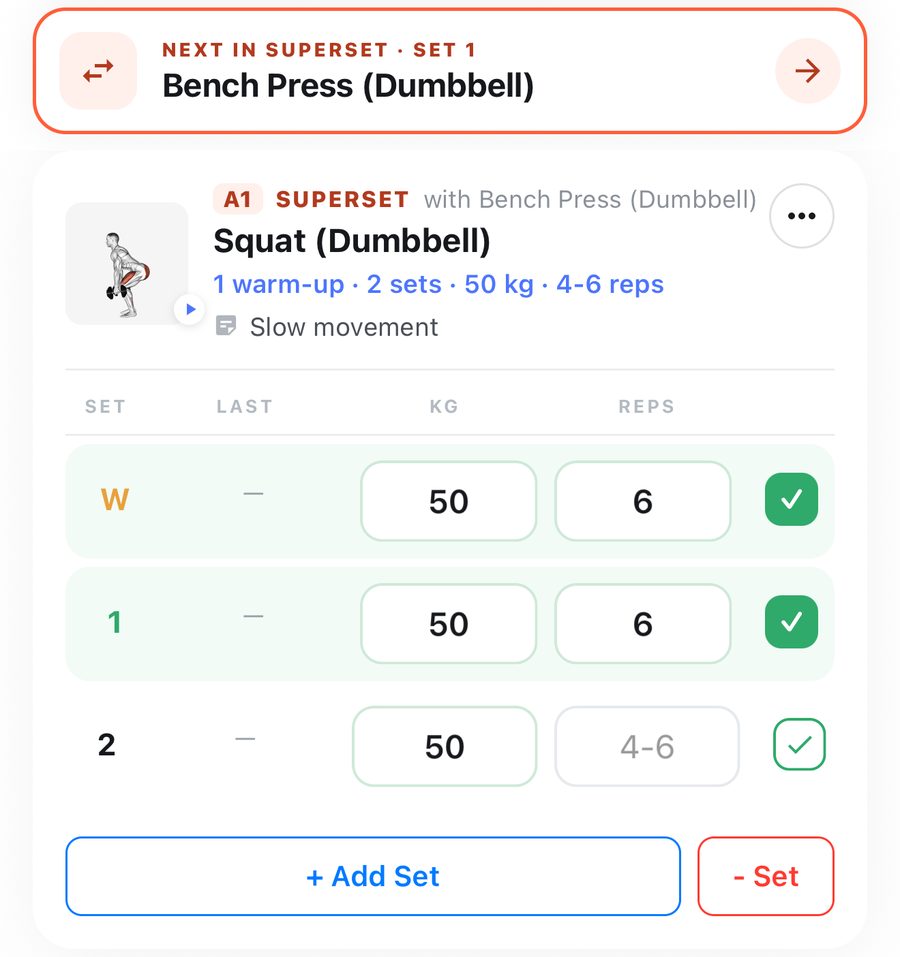
- Pick its partner. The two join into one card marked A1 and A2.
To undo it, tap ••• and Remove from superset. You can also make a superset during a workout from the same menu.
In the gym:
- Finish a set of A1 and the row above your sets turns orange: Next in superset · set 1. Tap it to go to A2.
- After A2, the rest timer starts, and the row offers the next round.
- Partner's machine taken? Long-press the row to pick a different exercise.
Supersets are pairs (two exercises).
Still stuck? Email info@pruvapp.com