
Build a program
A program lays your workouts out across the weeks, so every training day is decided before you get to the gym.
- Tap Workouts → + Create → Workout Program.
- Build a workout program: name it, choose 4, 6, 8 or 12 weeks, and pick a start date.
- Which days do you train? Tap your training days. The count of sessions updates as you go.
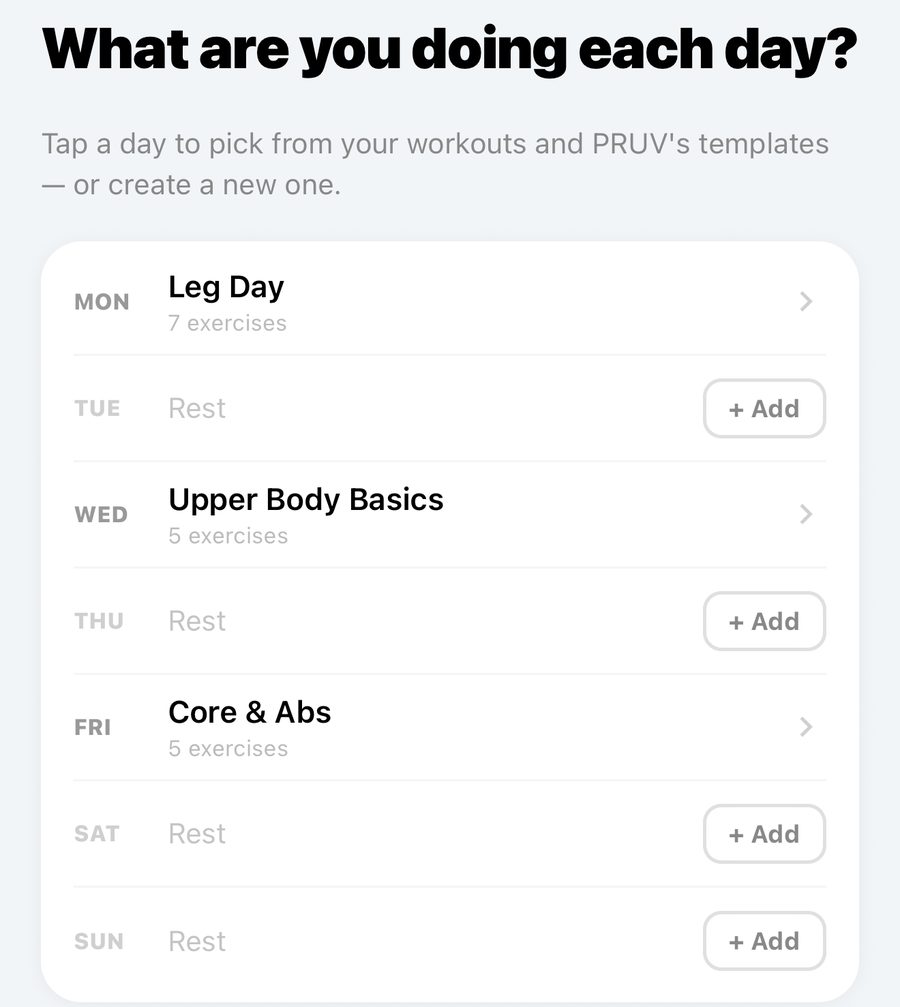
- What are you doing each day? Tap + Add on each training day and pick one of your workouts or a PRUV template, or create a new one. This pattern applies to every week.
- Your weeks: change any single week if you need to: add a day, drop one, or swap a workout.
- Ready to go. Check it over and tap Start program.
Once it is running, Home shows today's session. Start it from there, and the day is ticked off when you finish. Missed a day? You can still log it for a short time afterwards, or skip it. Edit a running program with the pencil on its page: weeks already finished stay as they were. When a program ends, Repeat starts it again.
Free and Pro: the free plan keeps 1 program, built from the 3 workouts in My Workouts (you can use each as often as you like). PRUV Pro has no limits.
Still stuck? Email info@pruvapp.com