
Log a workout
- Tap Start Workout on a workout, or the play button on a Quick start card.
- The screen shows one exercise at a time. Use the row above the sets to jump to any exercise, in any order.
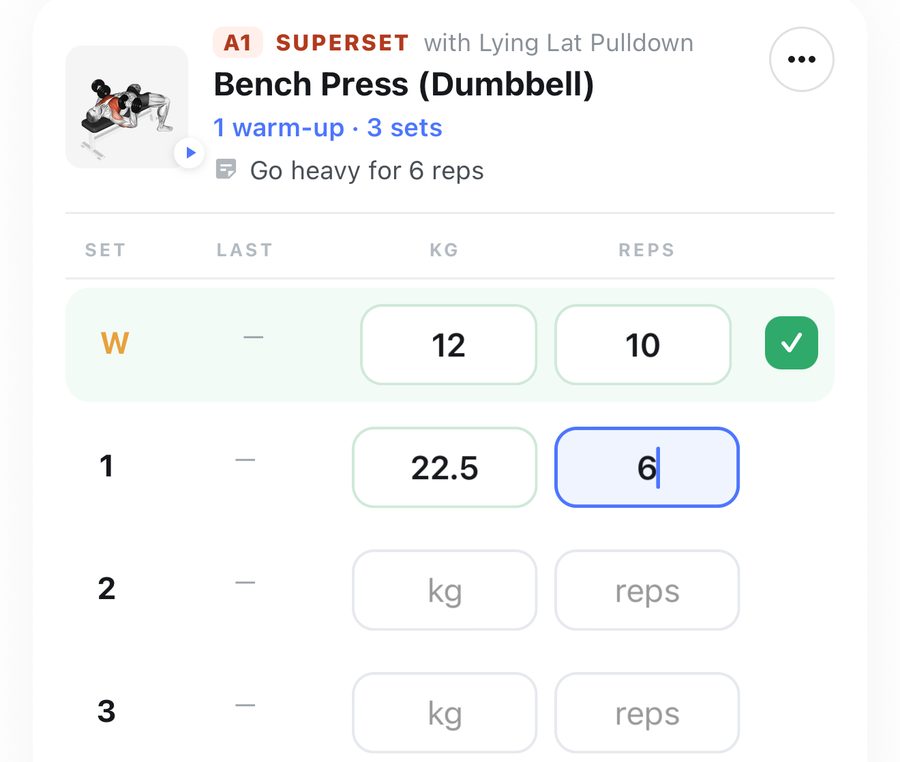
- For each set, type the KG (or LB) and REPS. The set ticks itself off when both are filled.
- LAST shows what you did on that set last time.
- If the workout has targets, tap the green tick to log the target in one tap.
- Tap the set number to make it a warm-up, drop or failure set (see Set types).
- + Add Set and - Set change how many sets there are.
- Need another exercise? + Exercise.
- Tap Finish to save. New personal records are found for you. If you changed the plan, PRUV asks whether to update the saved workout.
Training at a gym that uses pounds (or kilos)?
On holiday, or at a gym whose plates and dumbbells are in a different unit from yours? Switch LIFTING IN between kg and lb at the top of your workout, and type the weights exactly as they are written on the equipment. It only changes this workout. Everything you log is saved and shown back in your own unit, so your history, records and charts stay consistent. The next workout opens in your usual unit again.
Good to know:
- Leave the app or lose signal and your session is kept. Open PRUV again and carry on.
- Left a workout open for hours? Finish asks before saving a very long time, and offers a length based on your sets.
- Discard throws the session away; nothing is saved.
Still stuck? Email info@pruvapp.com